
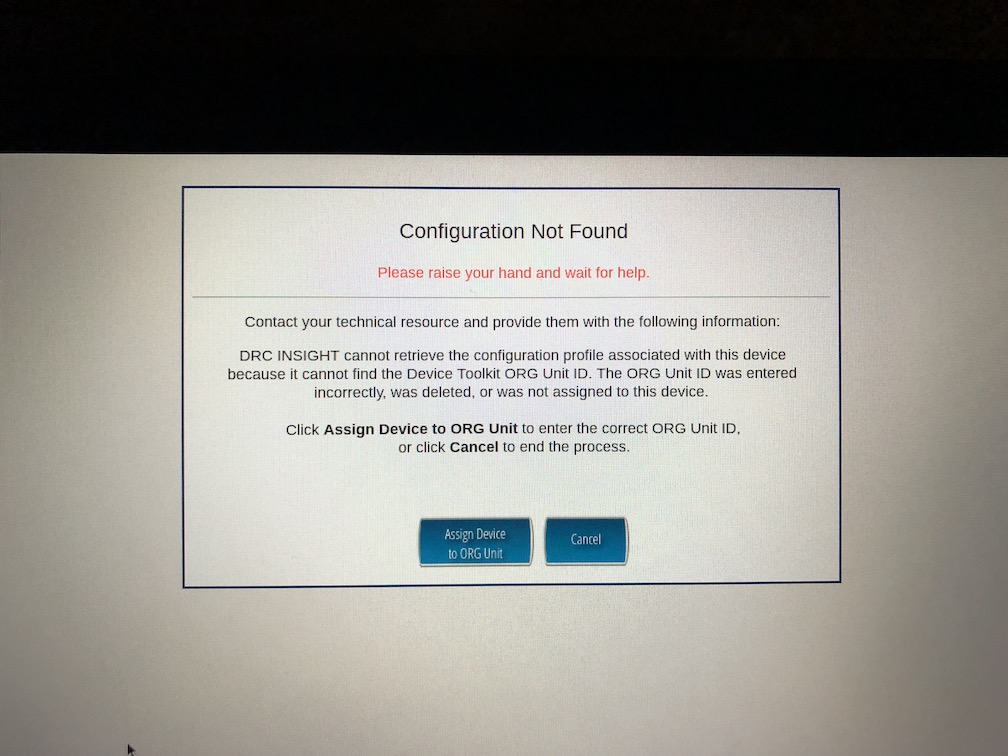
If you're accessing the DRC INSIGHT assessments and are presented with this screen, you'll need to register the Chromebook with your site's organizational ID. Click on Assign Device to ORG Unit:
Enter the ID of your site's organization ID (ask your principal for the number):
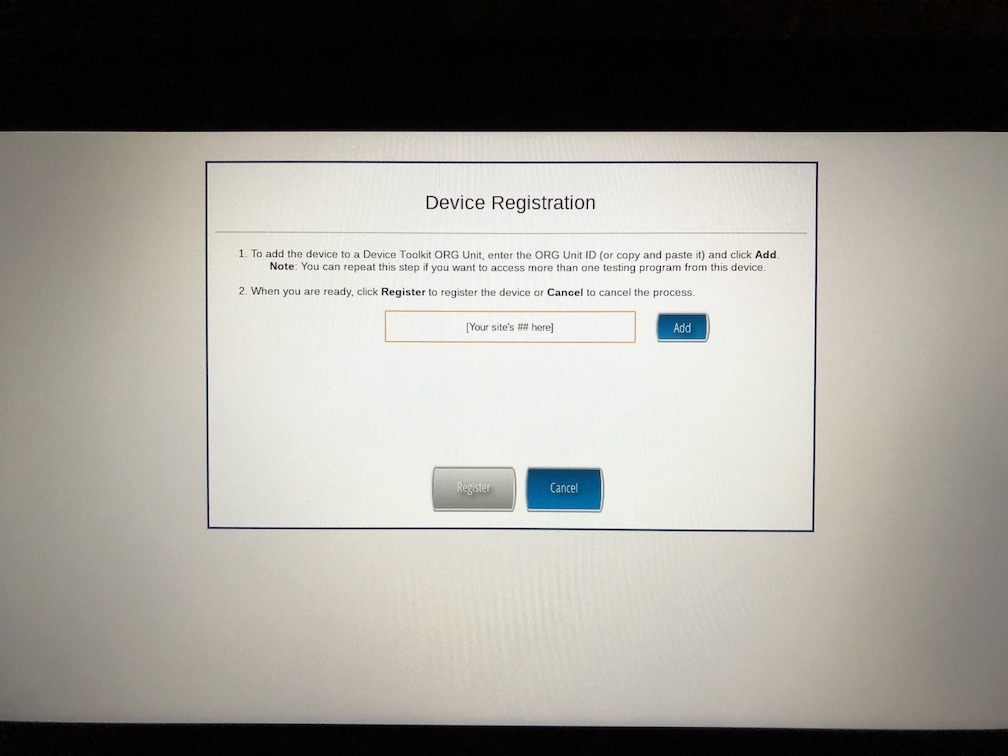
After entering the ID number, click Add. When the screen refreshes, click Register. You should be ready to go for testing!
Comments
0 comments
Please sign in to leave a comment.