
Student login information is now stored in PowerSchool. To retrieve this information, use the following steps.
1) Log into PowerTeacher, and open PowerTeacher Pro.
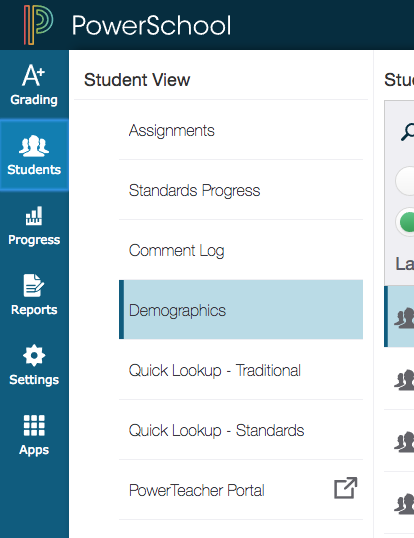
2) In the left-hand navigation bar, click on Students and then Demographics.
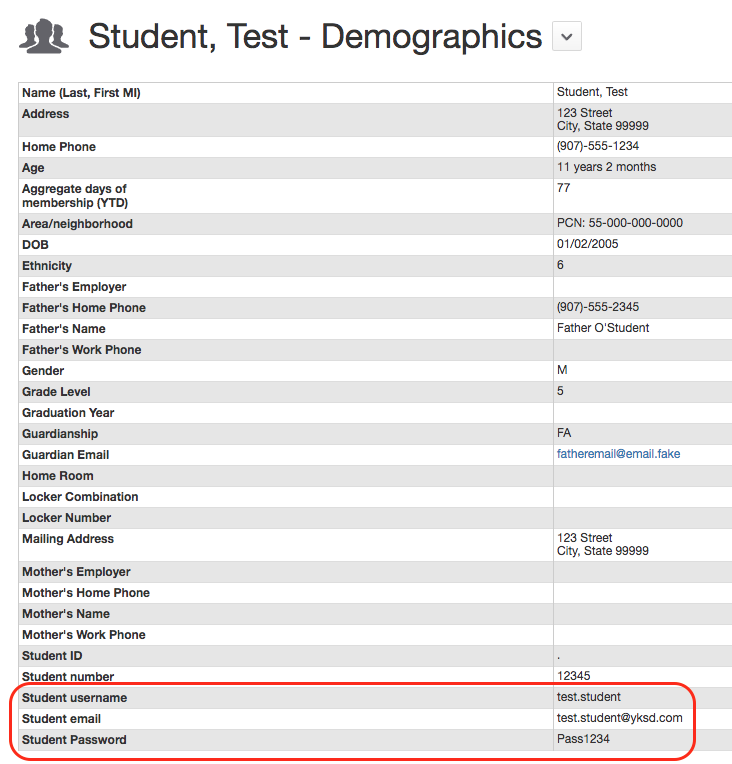
3) The student login and email information is at the very bottom of the demographics information table:
4) If the login information is incorrect or needs to be changed, please open a support ticket listing the requested corrections.
Comments
0 comments
Please sign in to leave a comment.